

MutualFundWala is a mutual fund investment app that lets you complete digital onboarding, follow the KYC process, start SIPs, and track your portfolio all from your phone.



Access key account, investment and portfolio features through this mutual fund investment app.

Create your account and complete the required onboarding process digitally.

Follow the applicable KYC and verification process through the app.

Access available mutual fund investment features through the app.


MutualFundWala works as a SIP investment app - start, manage and track your SIPs digitally.

View your mutual fund investment information in one place.

Access relevant investment and transaction details through your account.
MutualFundWala is an online mutual fund investment platform. Set up your account and access investment features in a few simple steps.
01
Download the MutualFundWala app from Google Play or the App Store.
02
Create your account using the required details.
03
Complete the applicable account verification steps.
04
Follow the applicable KYC and verification process.
05
Access the available investment and SIP features once complete.
KYC is an applicable requirement before investing. Follow the digital KYC process through the app by providing the required information and completing the relevant verification steps.

Provide the information required for the KYC process.
Enter your KYC details, including Aadhaar, PAN, and Bank Account.
Follow the applicable verification process.
Check your KYC status before proceeding with investments.
KYC requirements may vary based on applicable regulatory and verification requirements.
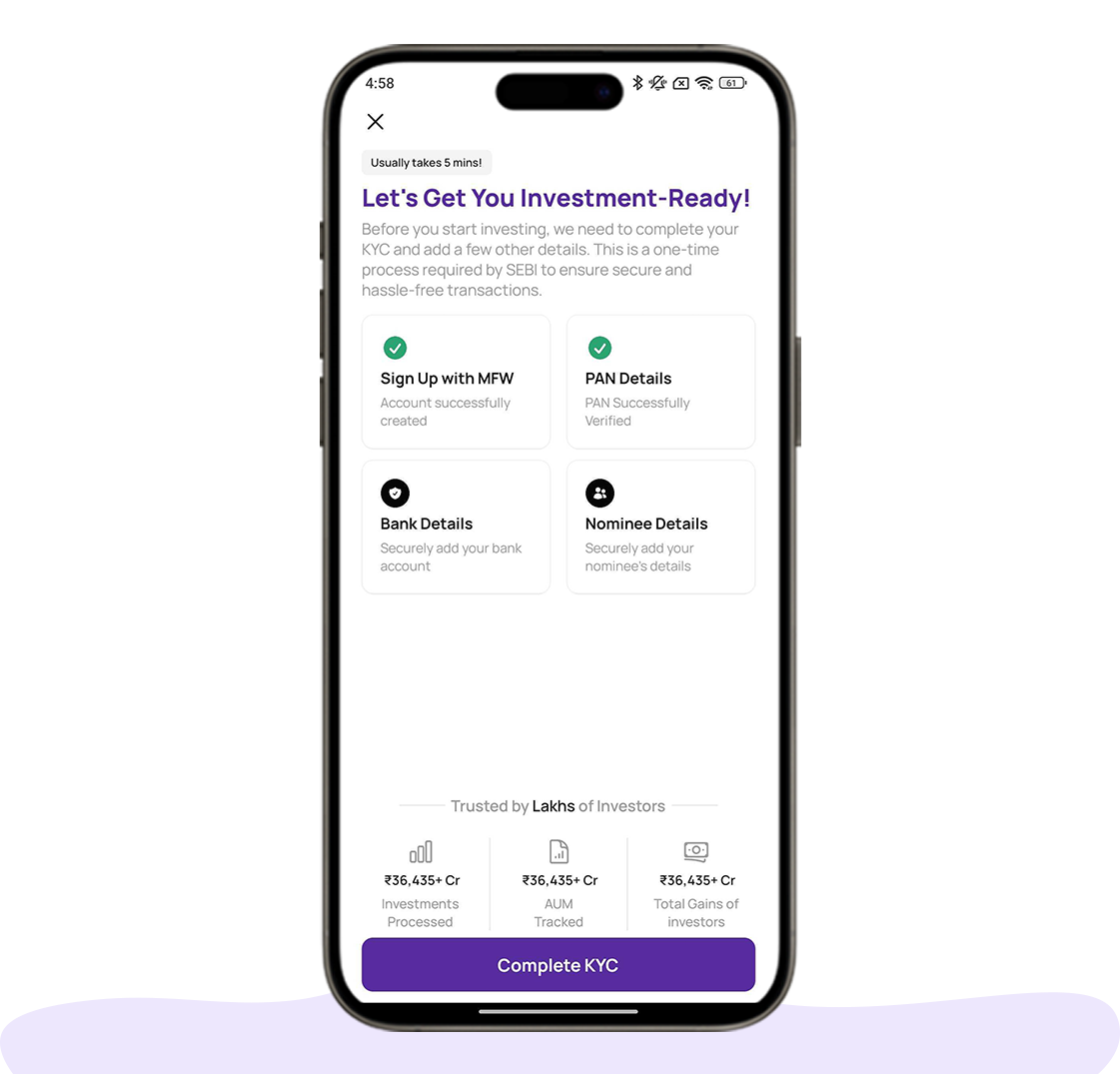
Once your account and KYC are complete, use the MutualFundWala app to access mutual fund and SIP features.
Access the available mutual fund investment option.
Enter the required investment amount and information.
Review the investment and transaction details.
Complete the applicable payment process.
Receive confirmation of the transaction.

Access the applicable SIP investment option.
Provide the required SIP investment information.
Check the SIP details before proceeding.
Complete the applicable confirmation process.
Access relevant SIP investment information through the app.

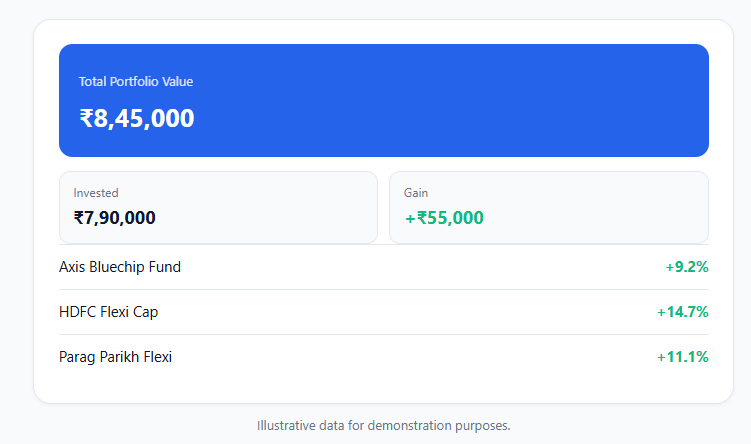
Use MutualFundWala as your mutual fund portfolio tracking app to view relevant details about your investments and transaction activity in one place.
View relevant information about your mutual fund investments.
Access available investment value information.
View relevant details related to your investments.
Review applicable investment transaction information.
Download the MutualFundWala app to complete your digital onboarding, follow the applicable KYC process, access available investment features, start SIPs and view your investment information.

Works with any camera app
Find answers to common questions about downloading the app, onboarding, KYC, mutual fund investments, SIPs and portfolio tracking.
MutualFundWala is a mutual fund investment platform and app that lets you complete onboarding, follow the applicable KYC process, access available mutual fund investment features, start SIPs and view your investment information.
Download the app from Google Play or the App Store and follow the guided registration process to create your account.
Yes, the app provides a digital KYC journey where you can enter your required details, submit the necessary information and complete the applicable verification process.
Yes. Once your account setup and applicable KYC formalities are complete, you can access the available mutual fund investment options through the app.
Yes. You can access the available SIP investment journey, provide the required information and complete the applicable confirmation process.
KYC is an applicable requirement before investing. You need to follow the applicable KYC and verification process before accessing investment features.
Download the MutualFundWala app to complete your onboarding, follow the applicable KYC process, access available investment features and view your investment information.
© 2026 MutualFundWala | AMFI Registered Mutual Fund Distributor | ARN-275889, Valid by 06-09-2029 | All rights reserved

AMFI-registered mutual fund distributor helping investors across India invest simply, securely, and transparently since 2005.
© 2026 MutualFundWala. All rights reserved.
